







For this Spirited Away material study, I chose the gate scene from the film’s opening: Chihiro’s father drives the family along a forest road in a 4WD sedan, pushes through overgrown branches and stops in front of a tunnel-like gateway that marks the boundary between the everyday world and the spirit realm.
After they step out of the car, the camera holds on what they see – a weathered red facade, a dark arch, mossy stone, aged wood, and bright summer foliage. That moment is what I rebuilt using Substance 3D Designer and Marmoset. You may also want one of the best laptops for 3D modelling.
How to create Studio Ghibli textures in your 3D art
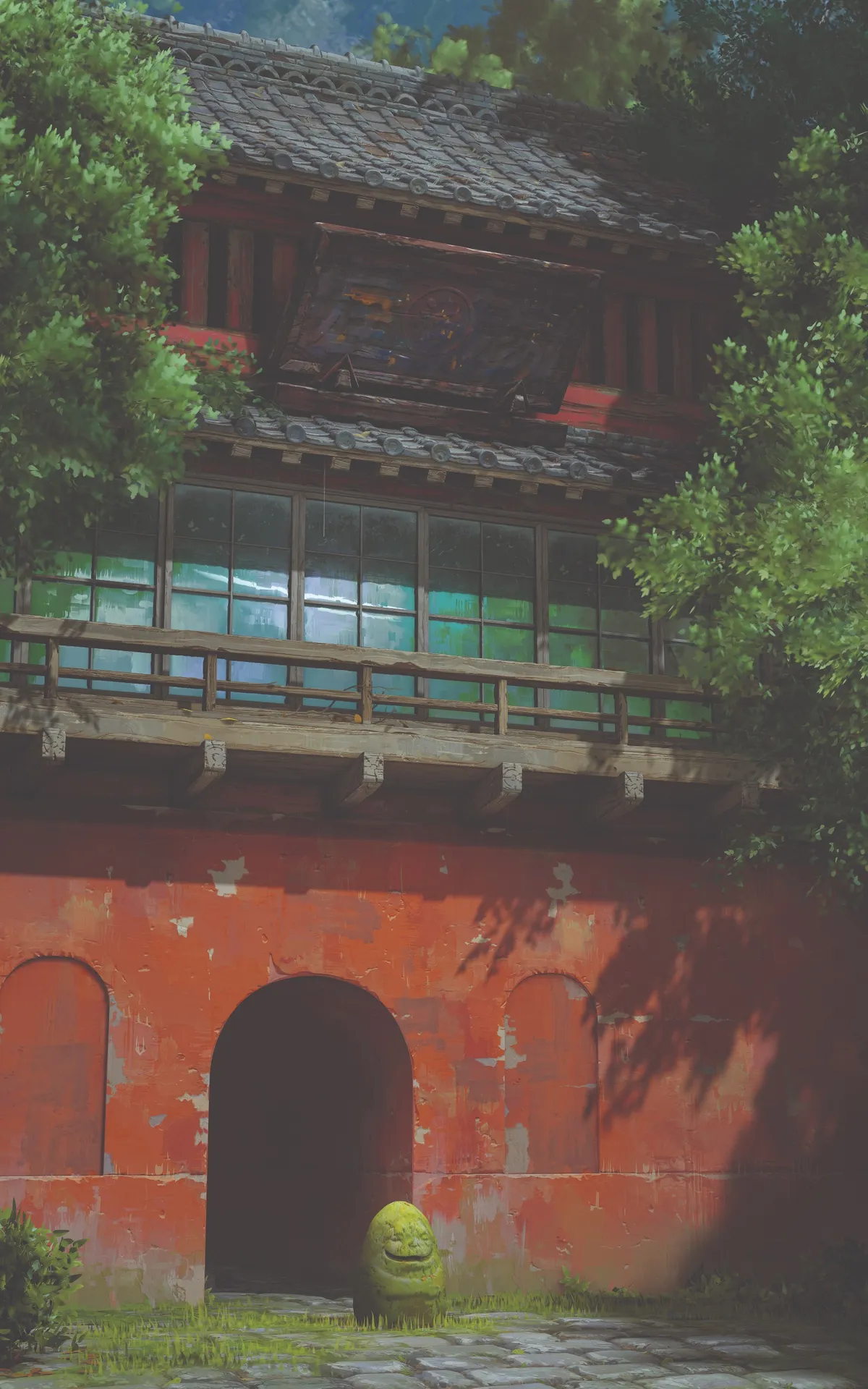
Lock the reference and plan the textures
I start with a film still of the gate and treat it as the brief. Then I break the shot into texture elements – plaster, wood, tiles, stone, glass, moss – and plan how they will sit on the model.
This means sorting trim UVs into a clear texture layout and deciding which textures I actually need before I open Substance Designer.
Build textures, variants, and the mesh
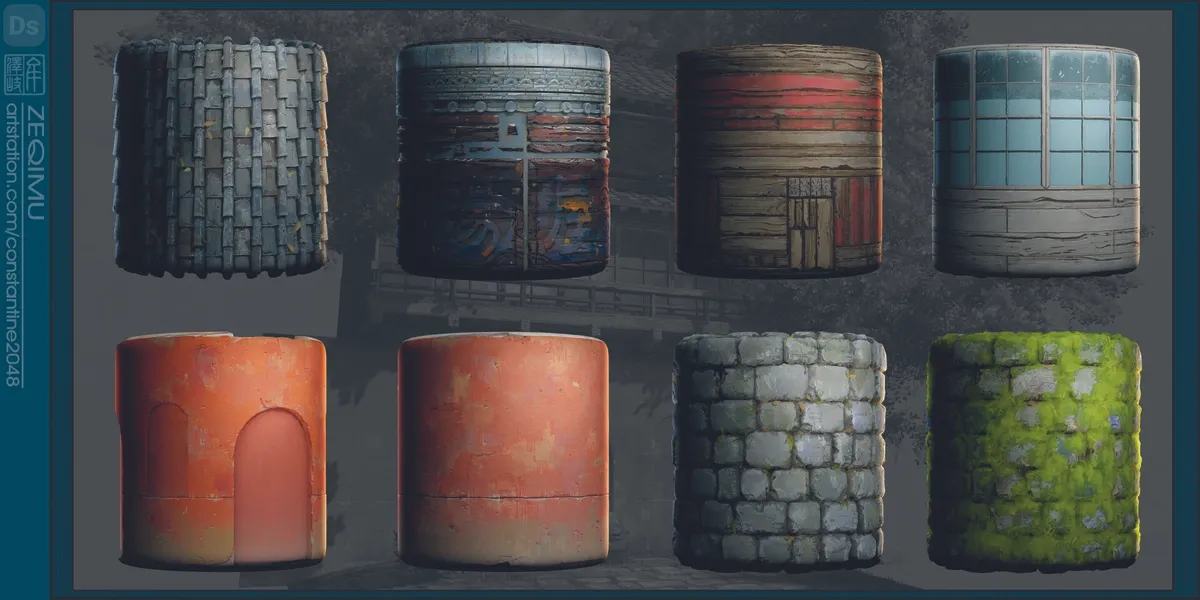
Next, I author the textures and a few variants so that wear and colour can shift without rebuilding everything. I refine the mesh with height displacement and clean up the trim pieces so the UVs match the plan.
Finally, I drop in decals for chips, stains, and small story details that make the gate feel lived in.
Light in Marmoset and finish the render
I bring the textures and models into Marmoset Toolbag and light the scene to echo the film still, encompassing warm daylight, soft shadows and that dark arch in the process.
The last pass involves grading and small post tweaks so that the image stays close to the reference without losing any material clarity.
Matching hand-drawn art
It’s a challenge to recreate this movie scene into 3D; perspectives are hand-drawn by Ghibli’s artists, so they’re not necessarily accurate in a 3D sense. I indeed used some tricks to better fit models so they almost match the movie scene.
This process for me is important to recreate the awesome composition of the movie scene.
Fixing the roof
Roof tile material with a heigh tmap for displacing the mesh. Notice the colour patches in some of the tiles; their final position within the texture is decided while I’m tweaking the final look of the scene in Marmoset Toolbag to better mimic the feeling of the original movie scene.
Doing some damage
For the wall component on the ground floor, I made one material with gate hole on it to catch a subtle damage look on the rim of the hole and a variant of that material that tiles horizontally to fill the rest of the wall. This process can be replaced by just using one wall material with decals to do the damage work.
Building the wall
Decals are also fully procedurally generated. I made much of the wall damage into atlas material, because it’s much easier for me to manually place wall damage decals on the wall to match the original movie scene.
Black Friday drawing tablet deals
See below for today's best deals on drawing tablets. See our guide to the best drawing tablets for help choosing.
See below for today's best deals on drawing tablets.
This article originally appeared in ImagineFX. You can order back issues.
Creative Bloq is now easier to access than ever before with our on-the-go app, which brings you all the content you know and love from our website, but in a super-streamlined design.
Download the Creative Bloq app for iOS
Download the Creative Bloq app for Android
